Why I build AI systems with code, not no-code tools
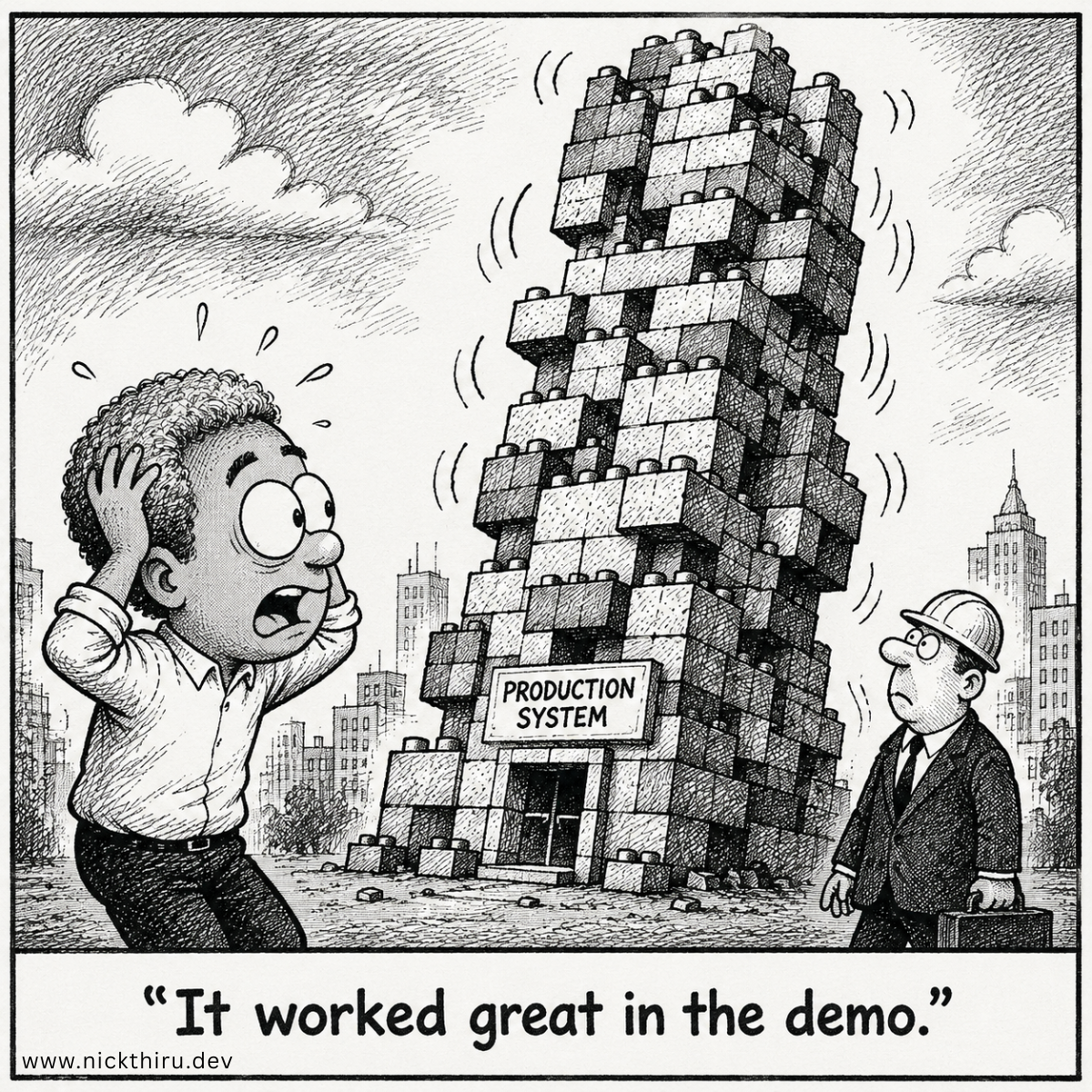
The first time someone asked me if they could “just use Zapier” for their AI agent, I had to think about how to answer honestly.
Because the truthful answer is: maybe. It depends on what you mean by “just.”
If you mean “get to a working demo quickly” — yes. No-code tools are genuinely impressive for that. I used them. I still think they’re the right call for certain things.
But if you mean “ship something to real users and keep it running”: that’s where I’ve consistently hit a wall.
Where No-Code Tools Shine (and Where They Don’t)
No-code platforms like Flowise and n8n are excellent at one thing: making the invisible visible. You can see the flow. You can drag a node in, connect it, and watch something work in minutes. For exploring an idea or showing a stakeholder what an agent could do, they’re unbeatable.
The ceiling shows up in production. Specifically, it shows up in three places:
Edge cases you can’t see coming. No-code workflows are defined at the happy-path level. When something breaks: when a tool returns an unexpected format, when the LLM produces output your next node doesn’t expect, you’re debugging inside a visual abstraction that wasn’t designed for that. You’re clicking around trying to understand what happened, not reading an error trace.
State management that wasn’t designed for complexity. Simple linear workflows are fine in no-code. As soon as you need conditional branching, retry logic, or state that persists across steps in a non-trivial way, the visual metaphor starts to fight you. You end up working around the tool’s assumptions rather than with them.
Vendor dependency you can’t fully control. No-code platforms change. Node behaviour gets updated, connectors break, pricing changes. Your production workflow is sitting on a foundation you don’t own and can’t fully inspect.
None of these are fatal for an internal tool or a prototype. For a product that real users depend on, they start to matter a lot.
What I Got Wrong First
My initial reaction to no-code limitations was to add code around the edges: custom code nodes, webhooks out to backend services, stitching things together.
This is the worst of both worlds. You have the constraints of the no-code platform and the complexity of custom code, without the full debuggability or testability of a pure code implementation. The abstraction layer doesn’t disappear when you add code around it. It just becomes harder to reason about.
The cleaner decision, and the one I landed on, was to move the orchestration layer fully into code.
Why Code-First Wins in Production
This isn’t an aesthetic preference. It comes down to four things that production systems require and that code-first implementations handle better:
Testability. You can write unit tests for individual nodes and integration tests for complete workflows. You can run them in CI. You can catch regressions before they reach production. No-code tools have limited or no equivalent.
Full control over error handling. In code, you decide exactly what happens when a tool call fails, when a timeout occurs, when an LLM returns something unexpected. You can distinguish between errors that should trigger a retry, errors that should escalate, and errors that should surface to the user with a specific message. This is difficult to express cleanly in a visual workflow editor.
Observability you can reason about. When something goes wrong, you need to understand why the agent made the decisions it made. Code-first gives you the ability to add structured logging at decision points: capturing the state that led to each branching decision, not just the action taken.
(See: What debugging AI agents taught me about observability)
No abstraction ceiling. When the requirements change, and in production they always change, you can change the implementation without fighting a tool’s opinions about what workflows should look like. The code does exactly what you tell it to do.
The Stack I Use
For AI agent work, I use LangGraph for orchestration on a TypeScript backend. LangGraph gives me explicit state management, built-in support for conditional branching, and a clear model for how nodes communicate. It has a learning curve. It’s more opinionated than rolling something yourself, but that structure pays for itself in production.
(See: How I structure LangGraph agents for production)
The key commitment is TypeScript throughout. Consistent types across the orchestration layer, the tool integrations, and the state management make refactoring safer and errors more visible.
The Debugging Reality (and the One Thing That Changes)
One of the strongest arguments for code-first is debugging. When something goes wrong in production, you need to be able to replay what happened: reconstruct the state the agent was in at each decision point and understand why it made the call it made.
Code-first makes this tractable. Specifically:
- Unit test individual nodes — each node has defined inputs and outputs you can test in isolation
- Integration test full workflows — run the complete graph against representative inputs in a test environment
- Add structured logging at decision points — when the agent arrives at a branching decision, log the complete state that informed it, not just the outcome
- Step through execution locally — reproduce a failure case in a local environment with known inputs
The one thing about the logging setup that changes once you move from a demo to a production system with real users: prompt logging is not unconditionally safe.
A prompt that contains only system instructions and few-shot examples built from synthetic data? Log it freely: it’s pure debugging gold.
A prompt that assembles personal data about a real user or a third party into its context before dispatch? That prompt is now a personal data payload. Logging it verbatim means your observability store becomes a personal data store: with all the retention, access control, and deletion obligations that entails. That decision needs to be made deliberately, not by default.
The two-case rule: decide which type your prompts fall into when you design the system, not when something breaks at 2 AM.
(See: What debugging AI agents taught me about observability)
What I’m Still Working Out
A few things I haven’t fully resolved:
- When the right call is a hybrid: no-code for simple automations that genuinely don’t need production-grade observability, code for the agent layer. I don’t think pure code-first everywhere is always the answer.
- How to evaluate no-code tools fairly as they mature. Flowise and n8n have both improved significantly. The gap that made the code-first decision obvious for me in the past may not be as wide now for simpler use cases.
Your Turn
If you’ve shipped an AI agent to production (no-code or code-first), what was the moment that clarified which approach was right for your situation? I’m curious whether the decision point was debugging, testing, state management, or something else entirely.
Have thoughts on this? I'd love to hear them. The conversation is happening on: